Monday, February 13, 2012

Free Visio 2010 Video Tutorials from Microsoft

Free Visio 2010 Video Tutorials from Microsoft:

Microsoft recently began releasing a series of free video tutorials for Microsoft Visio 2010. The videos are hosted by three notable Visio experts (or "MVPs" as Microsoft calls them): Scott Helmers, David Parker, and Chris Roth. Chris is also the author of Using Microsoft Visio 2010, an excellent introduction to the new features of Visio 2010 (and Visio in general).


Currently, only the first five of the 24 tutorials have been released. Unfortunately, Microsoft has stuck to a glacial release schedule of one tutorial per week; the last of the series is set to be published in mid-June. The videos average around six or seven minutes apiece and are available for direct download. Given their length one would think embedded Flash video would be a preferable medium, but at least this way they can easily be archived for later reference.


visio_tutorials_5.jpg


Friday, February 10, 2012

Quickpost: Disassociating the Key From a TrueCrypt System Disk


Didier stevens on his blog has a nice post on Disassociating the key from a TrueCrypt system.

TrueCrypt allows for full disk encryption of a system disk. I use it on my Windows machines. You probably know that the TrueCrypt password you type is not the key. But it is, simply put, used to decrypt the master key that is in the volume header. On a system drive, the volume header is stored in the last sector of the first track of the encrypted system drive (TrueCrypt 7.0 or later). Usually, a track is 63 sectors long and a sector is 512 bytes long. So the volume header is in sector 62. When this header is corrupted or modified, you can no longer decrypt the disk, even with the correct password. You need to use the TrueCrypt Rescue Disk to restore the volume header. This rescue disk was created when you encrypted the disk. I’m using Tiny Hexer on the Universal Boot CD For Windows to erase the volume header (you can’t modify the volume header easily when you booted from the TrueCrypt system disk; using a live CD like UBCD4WIN is one possible workaround).


First I’m checking the geometry of the system drive with MBRWizard:


Take a look at the CHS (Cylinders Heads Sectors) value: S = 63 confirms that a track is 63 sectors long.


Then I open the system drive with Tiny Hexer (notice that the sector size is 512 bytes or 0×200 bytes):


I go to sector 62, the last sector of the first track:


It contains the volume header (an encrypted volume header has no recognizable patterns, it looks like random bytes):


Then I erase the volume header by filling the sector with zeroes and writing it back to disk:


And if you absolutely want to prevent recovery of this erased sector, write several times to it with random data.


Booting is no longer possible, even with the correct password. The TrueCrypt bootloader will tell you the password is incorrect:


One can say that I’ve created a TrueCrypt disk that requires 2-factor authentication. To decrypt this disk, you need 2 factors: the password and the corresponding TrueCrypt Rescue Disk.


First you need to boot from the TrueCrypt Rescue Disk, and select Repair Options (F8):


And then you write the volume header back to the system disk. Remark that the TrueCrypt Rescue Disk requires you to enter the password before it writes the volume header to the disk:


And now you can boot from the system disk with your password.


Use this method if you need to travel with or mail an encrypted system disk and want to be 100% sure there is no way to decrypt the drive while in transit. But don’t travel with the 2 factors on you, send the TrueCrypt Rescue Disk via another channel.


Remark: MBRWizard allows you to wipe sectors, but for whatever reason, it couldn’t successfully wipe sector 62 on my test machine.


Oh yeah, don’t forget to make a full backup before you attempt this technique ;-)


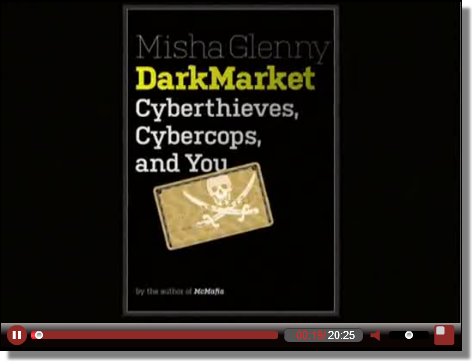
Video: DarkMarket

Video: DarkMarket: Author Misha Glenny was interviewed by broadcast journalist Charlie Rose recently. The majority of discussion was based on Misha's current book, DarkMarket: Cyberthieves, Cybercops and You.

The interview is 20 minutes long, a provides an excellent summary of the threats currently facing the Internet.

Misha Glenny, DarkMarket
Click to watch

On 08/02/12 At 01:50 PM

FatCat Auto SQLl Injector

This is an automatic SQL Injection tool called as FatCat , Use of FatCat for testing your web application and exploit your application more deeper. FatCat Features that help you to extract the Database information, Table information, and Column information from web application. Only If it is vulnerable to SQL Injection Vulnerability.


The user friendly GUI of FatCat and automatically detect the sql vulnerability and start exploiting vulnerability.

Features:


1) Normal SQL Injection

2) Double Query SQL Injection

Look forward to the below features in the next version:

1) WAF bypass

2) Cookie Header passing

3) Load File

4) Generating XSS from SQL

Requirement:

1) PHP Verison 5.3.0

2) Enable file_get_function

Download: http://code.google.com


Video Demo: http://dl.dropbox.com

IronWASP Securitybyte Edition Released

IronWASP (Iron Web application Advanced Security testing Platform) is an open source system for web application vulnerability testing. It is designed to be customizable to the extent where users can create their own custom security scanners using it. Though an advanced user with Python/Ruby scripting expertise would be able to make full use of the platform, a lot of the tool's features are simple enough to be used by absolute beginners.

IronWASP makes use of the following excellent Free/Open Source libraries:

Monday, February 6, 2012

Implementing DLP: Integration Priorities and Components

Implementing DLP: Integration Priorities and Components:

Although it might be obvious by now, the following charts show which DLP components integrated to which existing infrastructure you need based on your priorities. I’ve broken this out into three different images to make them more readable. Why images? Because i have to dump all this into a whitepaper later and building them in a spreadsheet and taking screenshots is a lot easier than mucking the HTML formatted charts.


Between this and our priorities post and chart you should have an excellent idea of where to start and how to organize your DLP deployment.


- Rich
(0) Comments